> ## Documentation Index
> Fetch the complete documentation index at: https://hastekit.ai/docs/llms.txt
> Use this file to discover all available pages before exploring further.
# Structured Output
> Enforce a JSON schema on the agent's final response so downstream code can consume it without parsing
Free-form text is fine for a chat UI, but most production agents need to return data — a classification, a draft email, an extracted record. The **Output Schema** tab pins your agent's final response to a JSON schema so callers always know what shape to expect.
## Two ways to define the schema
### Schema Builder
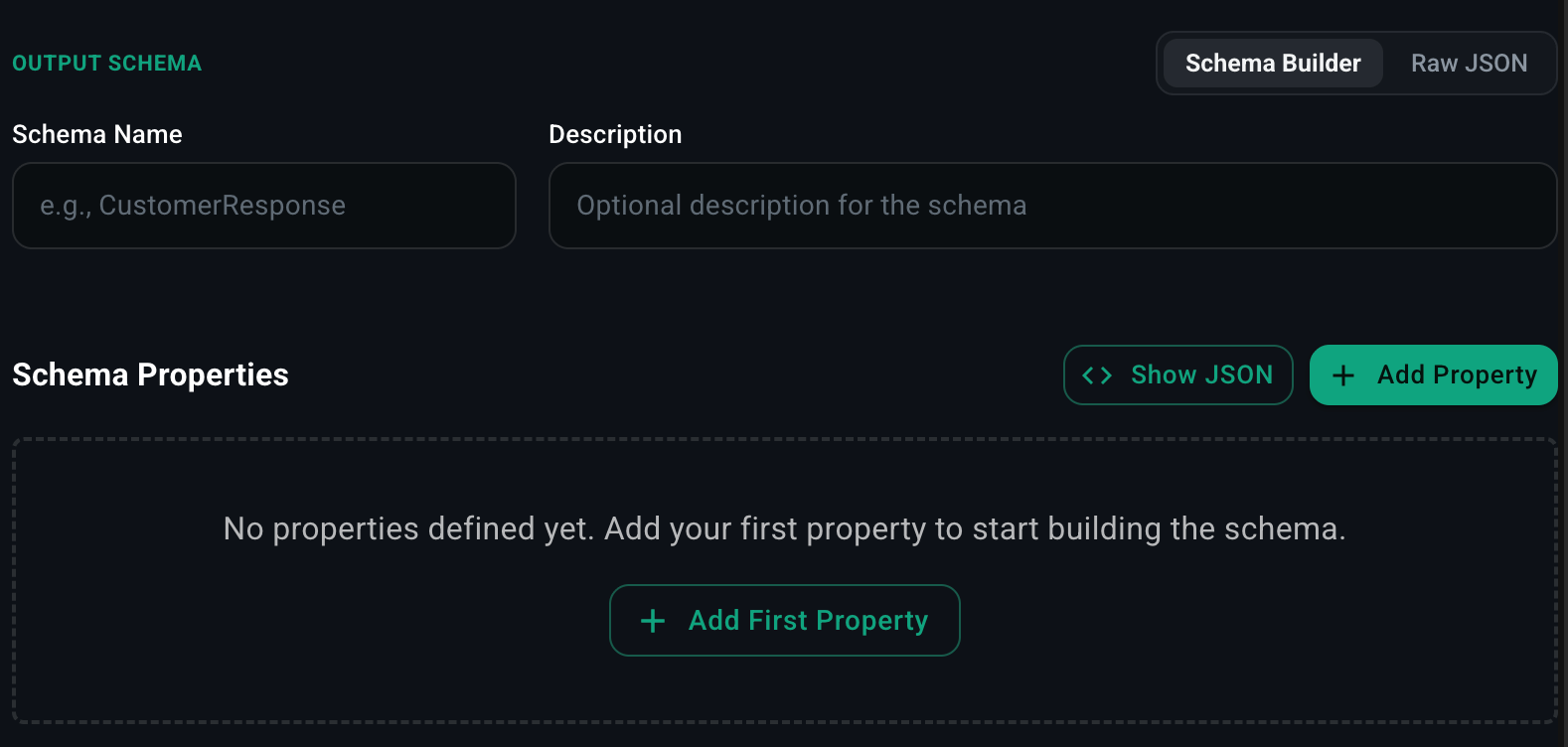 A visual editor for building the schema property-by-property without writing JSON.
1. Click **Schema Builder**.
2. Enter a **Schema Name** (e.g. `CustomerResponse`) and an optional **Description**.
3. Click **Add Property** for each field.
4. For each property, pick a type (`string`, `number`, `boolean`, `array`, `object`, `enum`) and set any constraints (required, default, min/max, allowed values).
5. Click **Show JSON** at any time to see the generated JSON schema.
Nested objects and arrays are supported.
### Raw JSON
A visual editor for building the schema property-by-property without writing JSON.
1. Click **Schema Builder**.
2. Enter a **Schema Name** (e.g. `CustomerResponse`) and an optional **Description**.
3. Click **Add Property** for each field.
4. For each property, pick a type (`string`, `number`, `boolean`, `array`, `object`, `enum`) and set any constraints (required, default, min/max, allowed values).
5. Click **Show JSON** at any time to see the generated JSON schema.
Nested objects and arrays are supported.
### Raw JSON
 When you need full control — `oneOf`, `$ref`, deeply nested structures, or a schema you've already authored — paste the JSON Schema directly.
```json theme={null}
{
"type": "object",
"properties": {
"sentiment": {
"type": "string",
"enum": ["positive", "neutral", "negative"]
},
"summary": { "type": "string" },
"follow_up_required": { "type": "boolean" }
},
"required": ["sentiment", "summary", "follow_up_required"]
}
```
## Runtime behavior
When an output schema is set, the agent's **final response** is constrained to match the schema. Tool calls along the way are unaffected — only the response the agent returns at the end of its run is validated.
If the model's output doesn't conform, the agent loop retries with the schema violation in the error message until it produces valid output (bounded by the **Max Iteration** setting on Agent Info).
## When to use it
* **Extracting data** from unstructured input (emails, support tickets, transcripts).
* **Classification** with a fixed set of labels.
* **Tool-like agents** whose response is itself a structured command for downstream code.
* **Workflow nodes** where an [AI Agent node](/docs/gateway/agent-builder/workflows) feeds typed output into the next step.
When you need full control — `oneOf`, `$ref`, deeply nested structures, or a schema you've already authored — paste the JSON Schema directly.
```json theme={null}
{
"type": "object",
"properties": {
"sentiment": {
"type": "string",
"enum": ["positive", "neutral", "negative"]
},
"summary": { "type": "string" },
"follow_up_required": { "type": "boolean" }
},
"required": ["sentiment", "summary", "follow_up_required"]
}
```
## Runtime behavior
When an output schema is set, the agent's **final response** is constrained to match the schema. Tool calls along the way are unaffected — only the response the agent returns at the end of its run is validated.
If the model's output doesn't conform, the agent loop retries with the schema violation in the error message until it produces valid output (bounded by the **Max Iteration** setting on Agent Info).
## When to use it
* **Extracting data** from unstructured input (emails, support tickets, transcripts).
* **Classification** with a fixed set of labels.
* **Tool-like agents** whose response is itself a structured command for downstream code.
* **Workflow nodes** where an [AI Agent node](/docs/gateway/agent-builder/workflows) feeds typed output into the next step.