
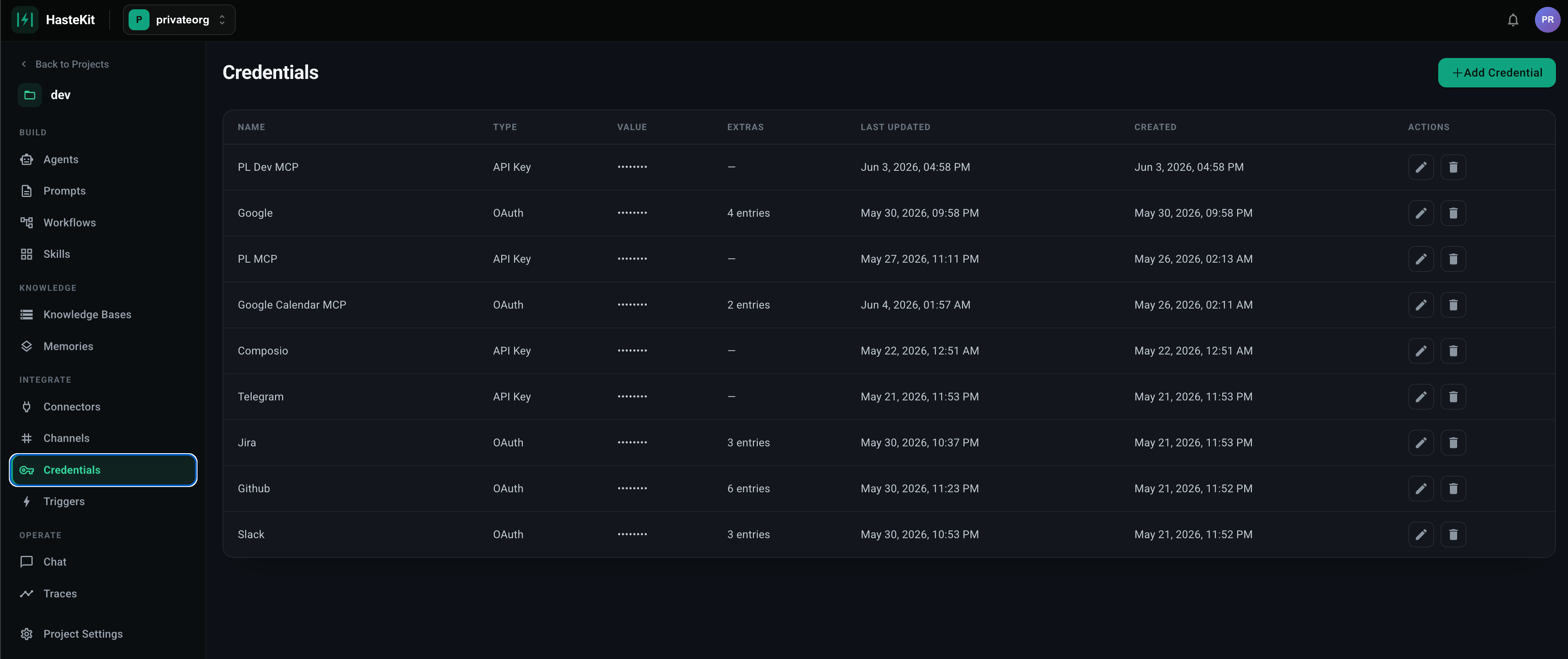
What’s stored here
- OAuth client IDs and secrets for third-party apps registered as Connectors.
- Bot tokens for Channels — Telegram bot tokens, Slack signing secrets.
- API keys for API Servers and outbound HTTP calls from Workflows.
- Webhook URLs with embedded auth.
- Any other secret value that your agents or workflows reference.
Adding a credential
- Open Agent Framework → Credentials.
- Click Add Credential.
- Provide:
- Save. Values are encrypted at rest. The UI shows only a masked preview on subsequent views.
Using a credential
Anywhere HasteKit needs a secret — when you register a Connector, configure an API Server, attach a bot token to a Channel — you select the credential by name from a dropdown. The secret never appears in the agent’s prompt, in traces, or in any API response.Security model
- Encrypted at rest with per-project keys.
- Masked in the UI after creation; values cannot be revealed once saved.
- Never serialized into traces or LLM prompts.
- Org-level RBAC determines who can create/update credentials (Owners and Collaborators).
Rotating a secret
To rotate a secret without breaking dependent connectors/API servers:- Open the credential.
- Click Edit and paste the new value(s).
- Save. Everything that references the credential by name picks up the new value on the next call.
Relation to Connectors
A Connector registers a third-party OAuth app and stores itsclient_id / client_secret as a credential. End users then authorize their own accounts (each authorization is a connection under the connector). The credential is the app; the connections are the users — both are scoped per project and managed independently.