
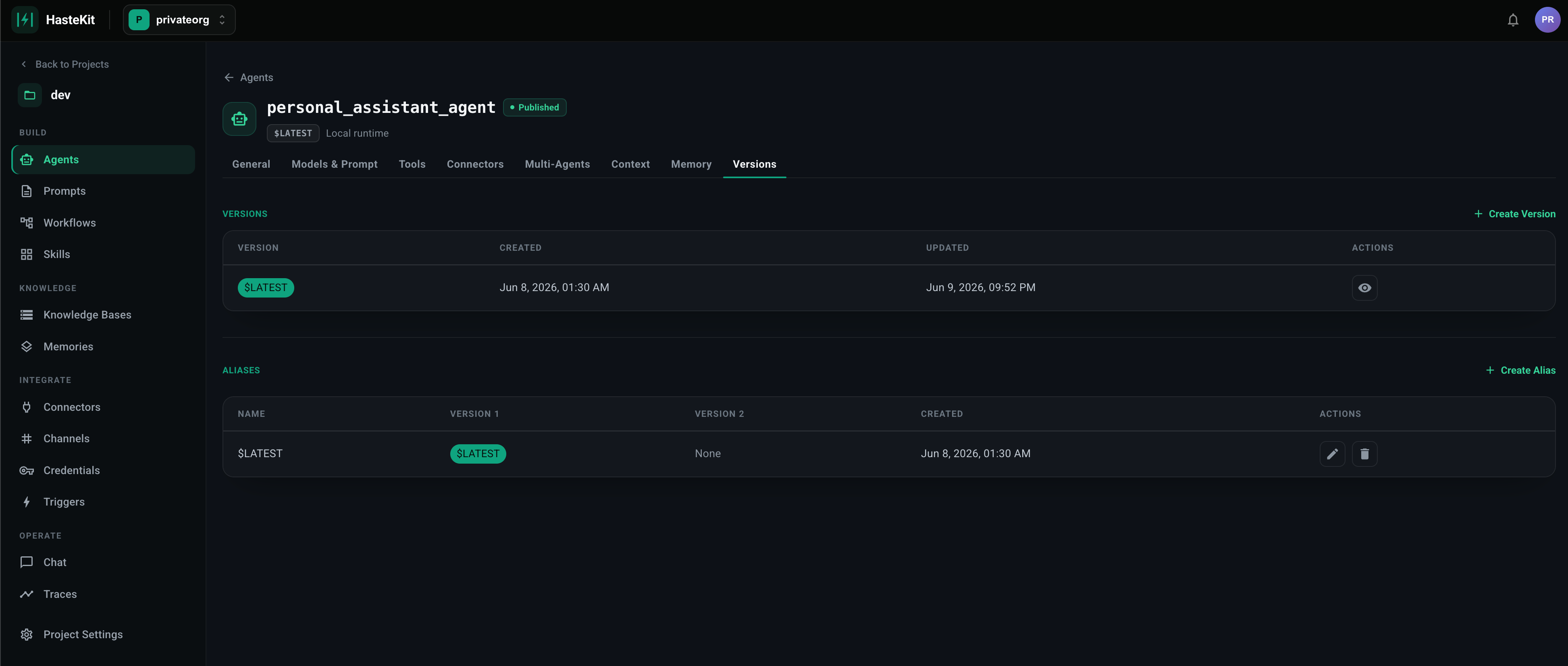
How versions work
- Version 0 =
$LATEST— the mutable working copy. Every save on the Model / System Prompt / Tools / Skills / Memory / Handoffs / Output Schema / Connectors / Knowledge / Codebases / History tabs updates$LATEST. - Click “Create New Version” on the Versions tab to freeze the current
$LATESTinto a numbered snapshot (1, 2, 3, …). Future edits go back to$LATEST. - Numbered versions are immutable — once published they never change.
What versions enable
- Stable references — clients call
my_agent@5ormy_agent@productioninstead of “whatever’s in$LATESTright now.” - Safe rollouts — point a production alias at the new version; if it misbehaves, repoint the alias back. Clients don’t redeploy.
- A/B testing — split traffic across two versions using a weighted alias.
- Audit and rollback — every change is a discrete artifact you can review or re-activate.