
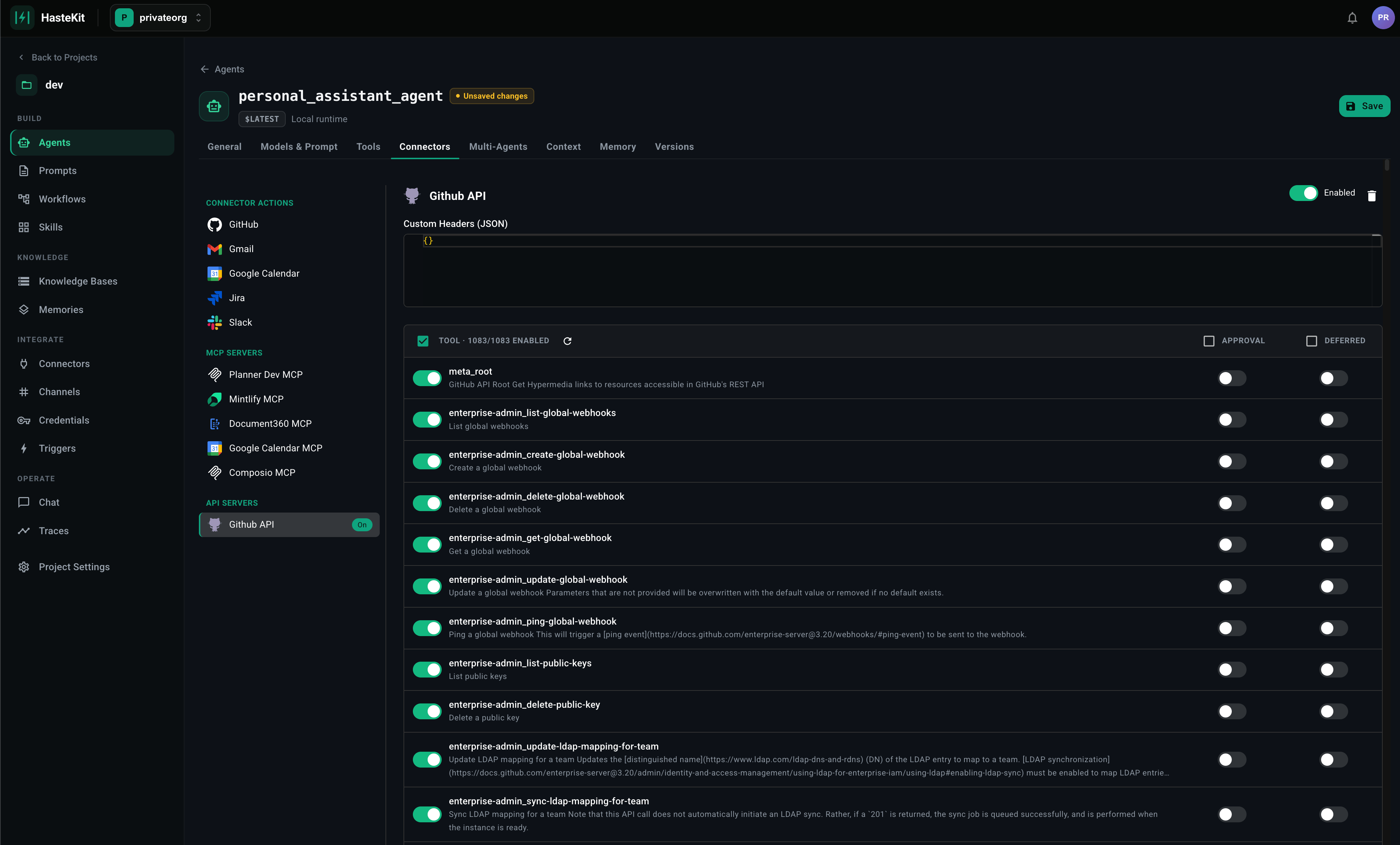
Registering an API server
- Open Agent Framework → API Servers (or attach a new one inline from the agent’s Tools tab).
- Provide:
- Save. HasteKit parses the spec; every operation becomes an available tool with the parameters and response schema described by the spec.
What gets generated
For each operation:- Tool name — derived from
operationId(falling back to method + path). - Description — from the operation’s
summary/description. - Parameters — path params, query params, and request body are all flattened into the tool’s input schema. Required vs optional is preserved.
- Response — returned to the agent as a JSON object (or string for non-JSON responses).
oneOf, enum, format hints, and required fields are all preserved on the tool input schema, so the model’s tool call is constrained the same way a typed client would be.
Attaching to an agent
- Open the agent → Tools tab → API Servers section.
- Select the registered server.
- Optionally filter which operations are exposed (you rarely want all 200 of an internal API).
- Optionally flag specific operations as Requires Approval (gates mutating calls behind a human) or Deferred (keeps them out of the prompt until the agent asks).
- Save.