
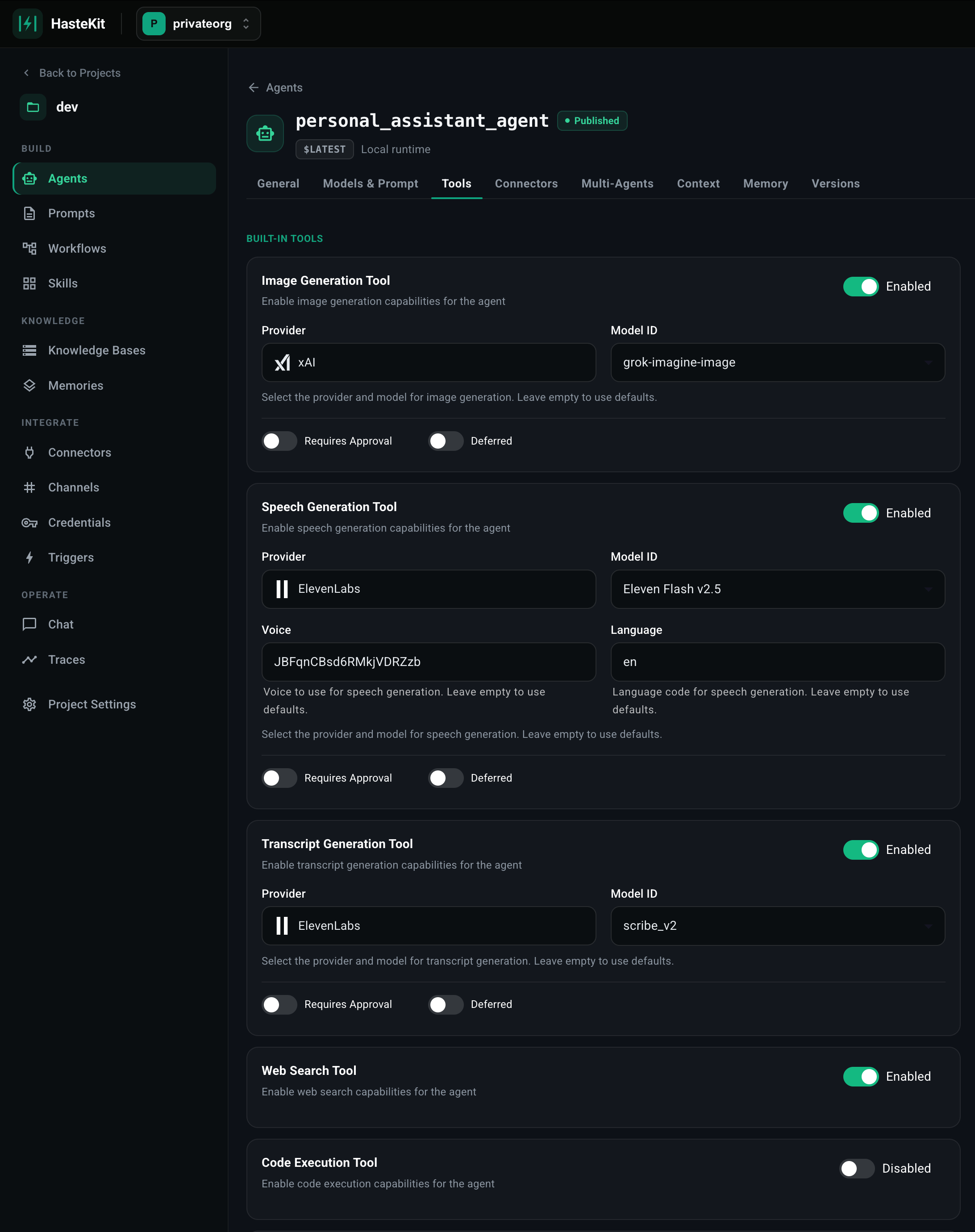
Available tools
Enabling tools
- Open your agent in the Agent Builder.
- Click the Tools tab.
- Toggle the tool on. Image / Speech / Transcript tools also let you pick the provider and model.
- Optionally flip the Requires Approval switch to gate each tool call behind human-in-the-loop confirmation.
- Optionally flip Deferred to keep the tool definition out of the prompt until the agent explicitly asks for it (useful for big tool catalogs).
- Save.
Image / Speech / Transcription
These three are configured similarly: pick a provider, pick a model, and (for speech) a voice and language. The agent receives a single tool — e.g.generate_image(prompt), generate_speech(text), transcribe(audio_url) — and the runtime routes the call to the configured provider behind the scenes.
You can use any combination of providers for the three tools — e.g. xAI for images and ElevenLabs for speech.
Web Search & Code Execution
These map onto the LLM provider’s native capabilities. Compatibility depends on the model you pick on the Model tab.
For richer or stricter sandboxing — or to give the agent a persistent workspace — use the Sandbox Tool instead of provider-level code execution.
Todo & Schedule
Two utility tools designed for long-running, agentic workflows:- Todo Tool — gives the agent
add_todo,update_todo,list_todos. Useful for keeping a complex plan organized when the agent is doing many things in a single run. - Schedule Task Tool — gives the agent
schedule_once(at, message)andschedule_recurring(cron, message)so an agent can defer work, set reminders, or kick off recurring runs of itself.