
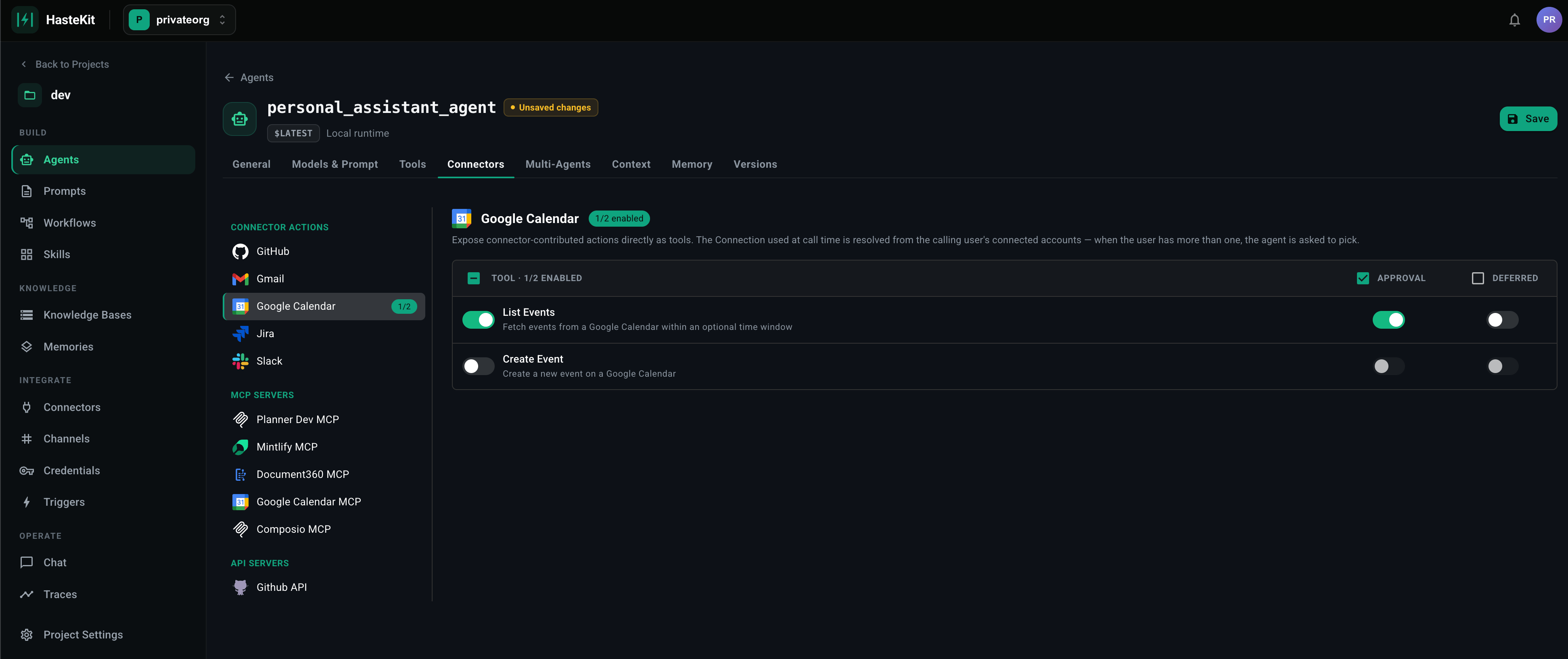
What can be gated
Approval is a per-tool flag, available on every tool type:- Provider Tools — image, speech, web search, code, sandbox, todo, schedule.
- MCP Servers — pick which tool names require approval in the Tools Requiring Approval field.
- API Servers — flag specific operations.
- Connectors — flag specific actions (e.g.
Gmail.Sendbut notGmail.List). - Agent as a Tool — gate sub-agent invocations.
- Workflows — gate workflow-as-tool calls.
How it works at runtime
- The model decides to call a tool. The runtime sees the tool is marked Requires Approval.
- The agent run pauses. A pending approval is created with the tool name, arguments, and the run/conversation it belongs to.
- A human reviewer sees the pending call (in the UI, in a notification, or via the API) with full context.
- The reviewer approves or denies.
- On approval, the tool executes and the agent resumes. On denial, the agent receives an error result and continues — usually choosing a different path.
Why this works on durable runtimes
Approval pauses can last seconds, minutes, or hours. On the Local runtime, the request is held open and the process pays for the wait. On the Temporal or Restate runtime, the workflow sleeps without holding compute — the run just stays in a “waiting for approval” state and resumes when the decision arrives. For anything beyond seconds of wait time, a durable runtime is strongly recommended.Approve from anywhere
Approvals can be acted on from:- The HasteKit dashboard.
- A channel (e.g. a Slack message with Approve / Deny buttons).
- The HTTP API (
/approvals/<id>endpoints).
Good defaults
A pragmatic policy for production agents:- Read operations — never require approval. (
list_messages,get_issue,search_code.) - Write operations on the user’s own data — require approval if the agent is autonomous; skip approval if the user explicitly asked.
- Write operations on shared / external systems — always require approval. (
send,delete,transition,merge.) - Money-moving operations — always require approval. No exceptions.